What's new?

pensiv updates and improvements.

December 30, 2025

v1.0.2 - desktop

This update focuses on helping you establish a work rhythm without disrupting your focus. You can now manage goals separately at the document level and daily level, and the editing UI has been made quieter and more predictable.

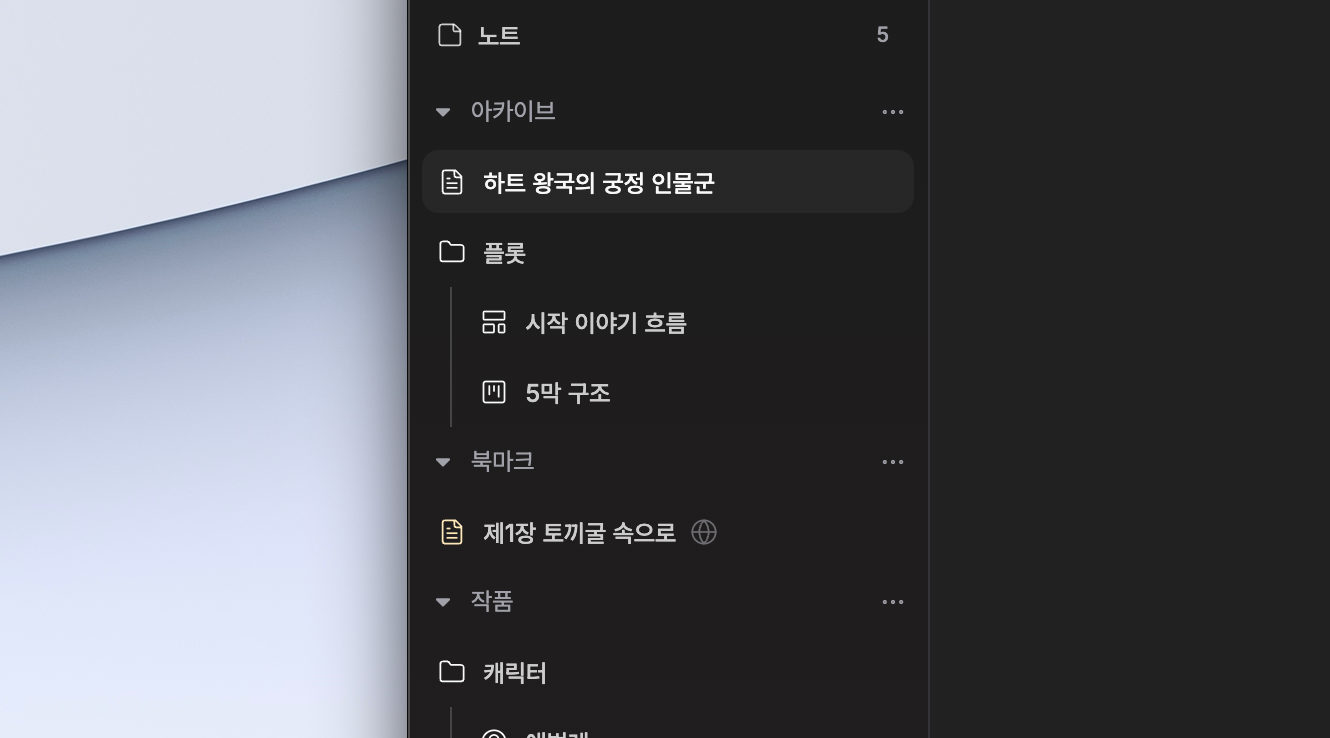
When editing or creating nodes in the canvas, auto-focus moves to that node. You can enter edit mode by double-clicking and exit with ESC, so you don't need to find your editing position again.

Settings location: Settings → Canvas to turn auto-focus and auto-zoom on or off.

Context Menu

Context Menu

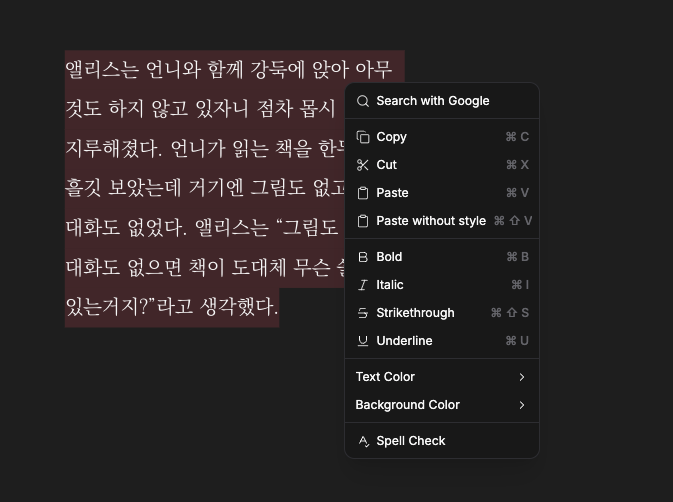
Instead of a floating toolbar that appears on selection, you can now use context menu-based editing options. Right-click to quickly access the editing features you need, and keyboard shortcuts are displayed alongside each option.

Settings location: Settings → Editor to adjust context menu-related options.

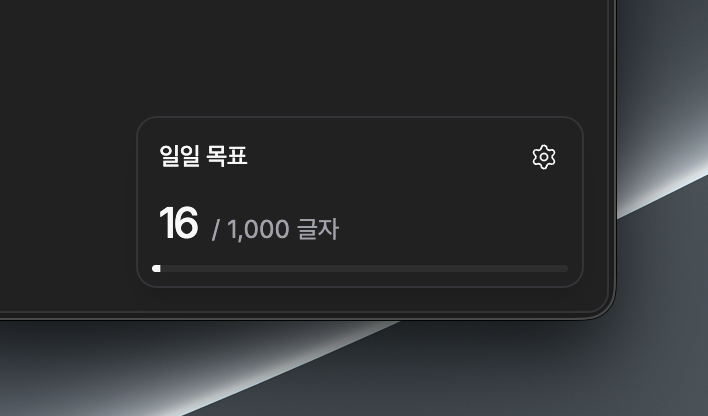
Goal Widget

Goal Widget

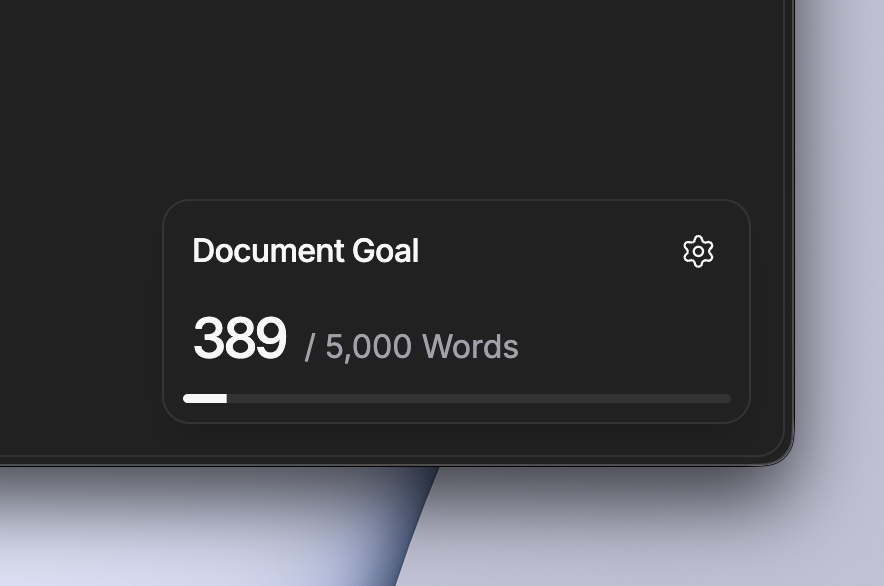
A goal widget has been added that shows document goal settings and progress. You can manage document-level and daily-level goals separately, and confetti feedback is shown once per document when a goal is achieved.

Settings location: Settings → Goal to set document-specific goals.

  • A goal widget has been added that shows document goal settings and progress.
  • Daily Goal functionality has been added to manage work volume on a daily basis.
  • Confetti feedback is shown once per document when a document goal is achieved.
  • Context menu-based editing options are now available instead of a floating toolbar that appears on selection.
  • Auto-focus moves to the node when editing or creating nodes in the canvas.
  • Canvas node edit mode has been added—double-click to enter and press ESC to exit.
  • FloatingWidgetContext has been introduced to manage floating widgets, improving widget alignment and position calculation.

  • Goal settings defaults have been unified to active state, making the initial usage flow more natural.
  • Confetti trigger and position calculation logic for daily goal and document goal widgets have been refined.
  • Keyboard shortcut display within context menus has been consistently improved.
  • Floating toolbar display on selection can now be controlled in settings.
  • Placeholder and auto-zoom behavior work more reliably based on canvas edit state.
  • Bookmark-related context menu behavior and code structure have been organized.
  • Overall UI details have been refined, including editor paragraph spacing, button sizes, and icon alignment.

  • Document goal confetti is shown only once per document and will not appear again afterward.
  • Context menu-based editing may feel different from some existing floating toolbar behaviors depending on settings.
  • Canvas auto-focus and auto-zoom can be turned off in settings, and layout movement may occur.
  • This update includes numerous internal refactorings, so there may be some subtle UI changes.

December 28, 2025

v1.0.2 - desktop

This update focuses on improving quick access to frequently opened documents and enhancing the stability of document export and backup features. You can drag bookmarks directly to the sidebar to pin and organize them, or quickly access the bookmark list from the command palette. At the same time, formatting preservation when exporting documents to markdown has improved, and backups can now be saved more flexibly.

  • Bookmark scrolling and visual feedback have been improved, making it easier to manage many bookmarks.
  • Document markdown export: Major formatting elements such as paragraphs, headings, quotes, lists, and code blocks are now converted to markdown more accurately when exporting.
  • List-related key handling improvements (TAB/indentation and interaction with auto-closing), nested list representation is now more accurate.
  • Editor focus behavior stabilization: Focus position no longer unnecessarily recenters when opening/closing dialogs or character tables.
  • Heading format default size calculation has been refined, making document viewing more consistent.
  • App freezing when quickly changing focus has been improved.
  • Placeholder behavior improvements prevent unnecessary placeholders from appearing in list items.

  • Bookmarks are currently stored only locally (browser/app storage). Account synchronization or server storage is not supported.
  • When customizing the backup path, backup files are saved to the selected folder, so please be sure to check the save location.
  • Snapshot backups are saved with the specified path and name, and saving with the same name may overwrite existing files.
  • While formatting conversion has improved during document export, very special formatting (complex plugin notation, etc.) may require manual verification.

December 27, 2025

v1.0.2 - desktop
Share Functionality

Share Functionality

We've enabled quick sharing of documents with others and simple comment-based collaboration. The share screen provides Korean by default and has clean link previews and button layouts, making invitations and confirmations much easier.
Comment Functionality

Comment Functionality

Comment Functionality

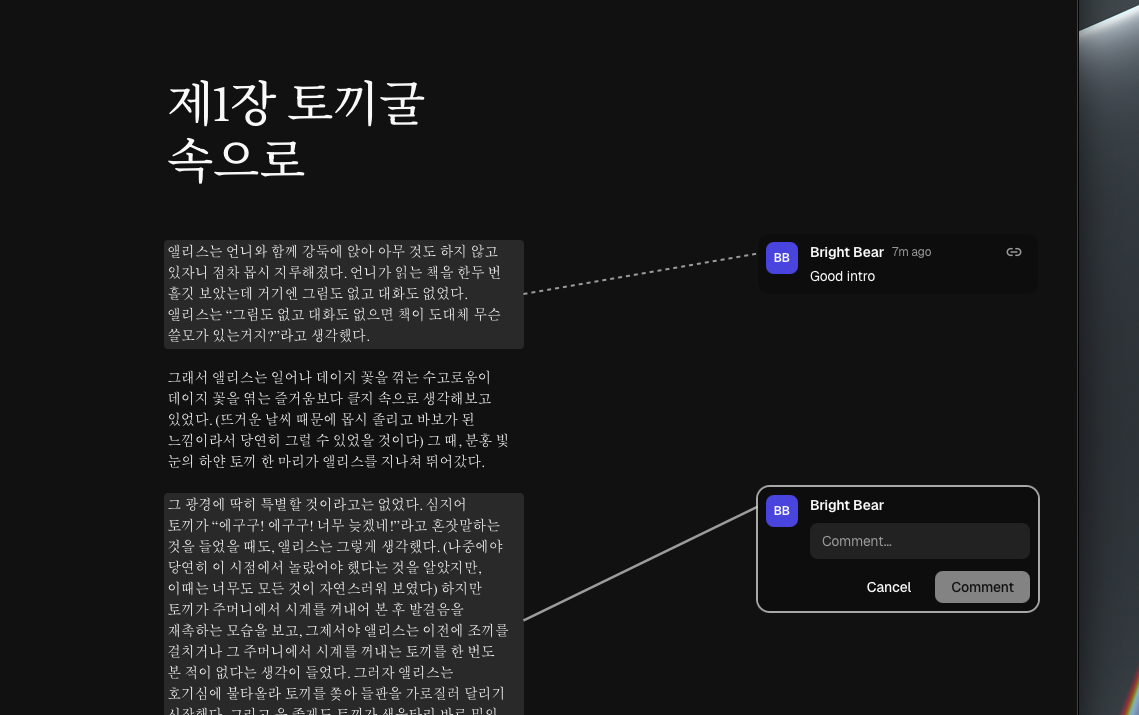
Example document: https://pensiv.so/s/3ShKWOesD9EuzIDt

At the same time, we've organized the note editing environment and editor behavior to make the writing flow feel more stable. Title input and rich text editing have been added, making it easier to write notes structurally, and node heights now adjust in real-time to content changes.

  • Create public links through the share button in the header and allow anyone with the link to leave comments on the document.
  • Share management enables creation, cancellation, and list checking so you can manage invitation links directly.
  • Share popup displays link previews and clean text, supporting Korean as the default display.
  • Note editor has been replaced with rich text, making title input and body formatting work easier.

  • You can check the share status of items in the project tree, allowing you to immediately identify share status from the document list.
  • Navigation items now show auxiliary titles (append titles) together, improving identification.
  • Header alignment, minimum size, and height calculation for file/note nodes have been improved, making manual size adjustment and layout more stable.
  • Export icons in multiple places have been unified, improving visual consistency.

  • Anyone with a share link can leave comments on the document, so please check the public scope before distributing links.
  • Title input functionality has been added to notes, so existing notes may have empty titles — add titles as needed.
  • Node heights may automatically change with content changes, which may cause some layout adjustments.
  • Share link management permissions apply to document owners or users with permitted permissions.

December 24, 2025

v1.0.2 - desktop
Project Notes

Project Notes

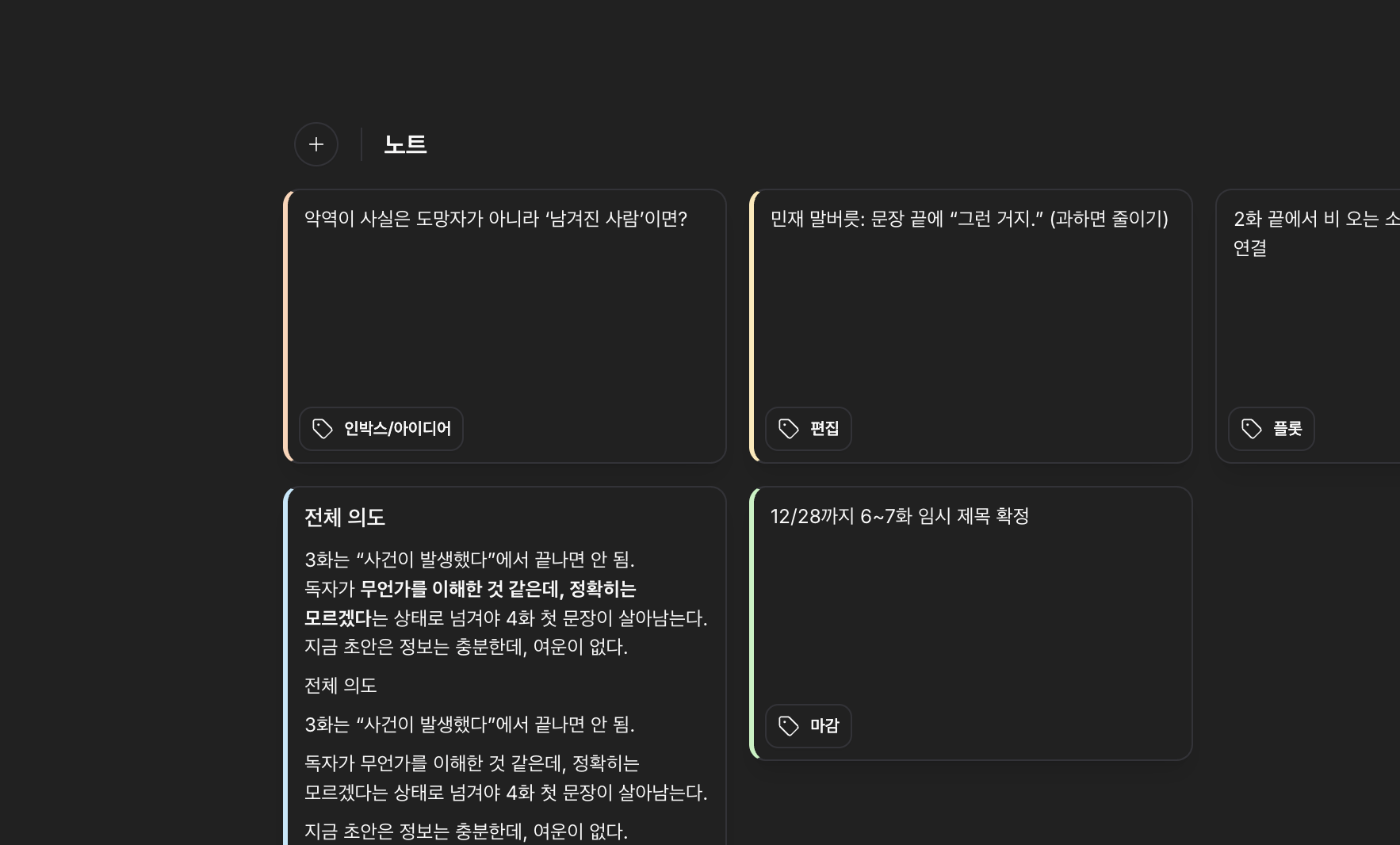
Project-level notes have been added, allowing you to manage everything from short ideas to long-form memos in one place. You can now narrow down note lists by tags and colors, edit tags directly from cards, and rearrange order by dragging in the sidebar for a more natural organization flow.


Task Colors

Task Colors

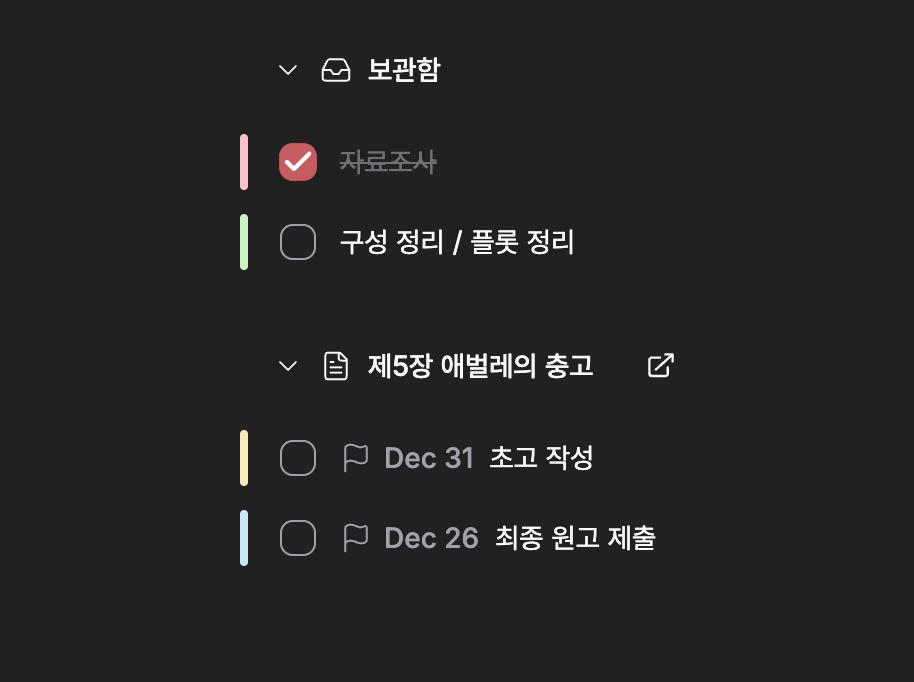
Tasks can now also be assigned colors, allowing visual distinction not just for notes but for tasks as well.

  • Added note list and detail view functionality to create, view, and edit notes within projects.
  • You can now edit tags directly from note cards, with automatic suggestions for tags registered in the project.
  • Introduced sub-dropdowns to filter notes by color and tags, allowing you to quickly view only desired items.
  • You can drag notes in the sidebar to rearrange their order, which is immediately reflected in the project's display order.
  • Tasks can now be assigned colors, allowing visual distinction not just for notes but for tasks as well.

  • You can now immediately check the number of notes linked to each header (documents, canvases, characters, etc.) for easier navigation to related work.
  • Folder view and file view toggle states are now preserved, allowing you to return to frequently used views instantly.
  • Local search now includes notes and tasks, enabling faster discovery of related content.
  • The project settings dialog now supports keyboard navigation (arrow keys and Enter) for easier item selection and movement.
  • New note creation now includes a default title for immediate writing, along with UI refinements like dropdown spacing for improved usability.
  • Unnecessary local items are cleaned up after bulk deletions to maintain clean synchronization status.

  • Notes are added as project data, so initial use may take time for synchronization or initial processing.
  • Changing order in the sidebar will modify the display order for that project, so please confirm changes during collaborative work.
  • Search results now include notes and tasks, which may increase the number of search results.
  • Assigning colors to tasks helps with visual distinction, but existing criteria that relied on colors may need reevaluation.

December 22, 2025

v1.0.2 - desktop

This update focuses on simplifying the process of organizing, polishing, and publishing what you’ve written.
You can now export multiple documents at once, fine-tune the editor’s appearance and typography, and use spell check and platform presets to reduce preparation time before publishing.


1. Multi-document Export (Multi Export)

Multi Export

Multi Export

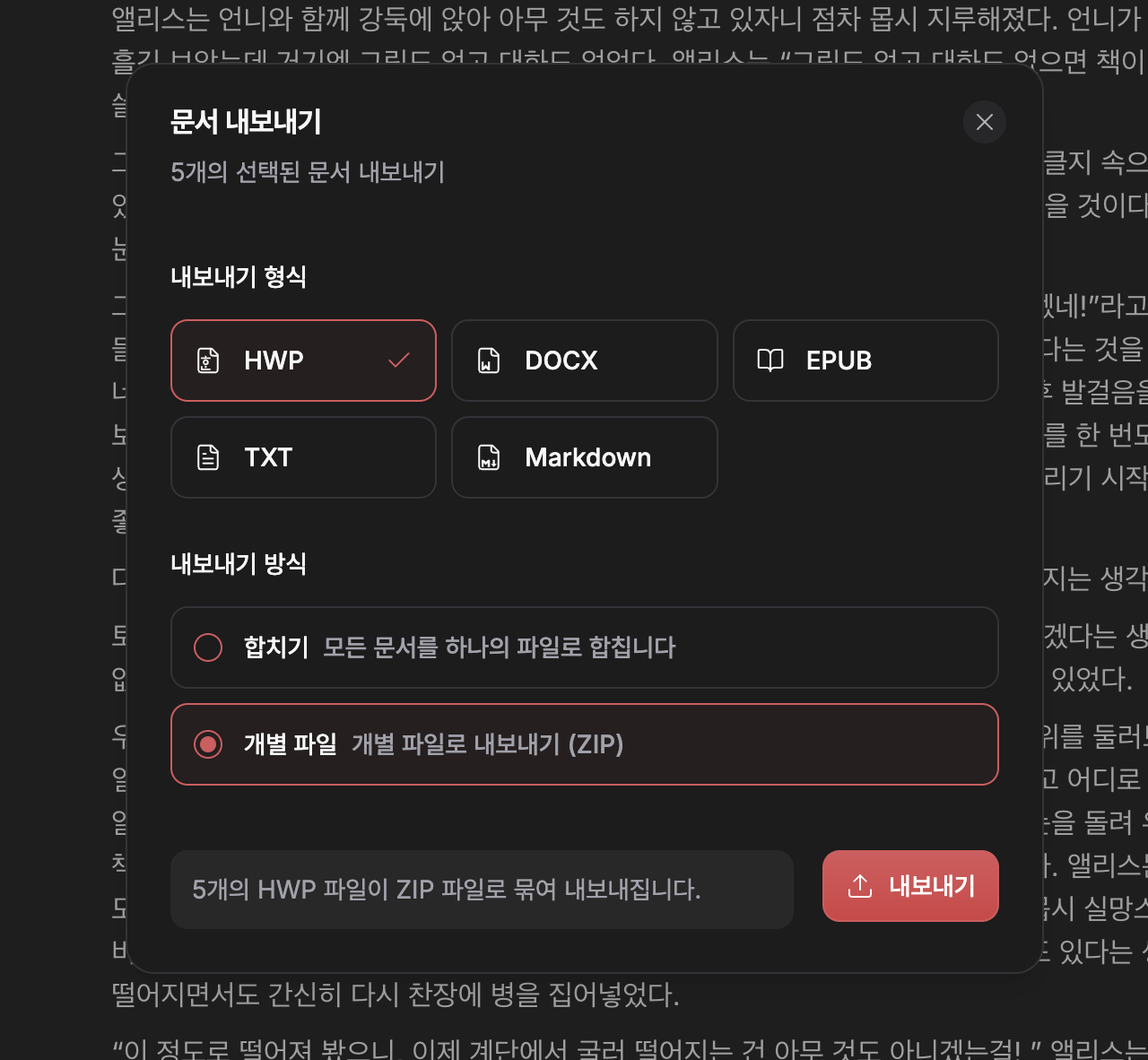
You can select multiple documents at once and export them in HWP, DOCX, EPUB, TXT, MD formats.
Depending on the platform or purpose, you can also choose whether to merge them into a single file or export each document as an individual file.

  • Organize long-form works/series into a single manuscript file
  • Keep chapter-by-chapter files as they are and export them in bulk
  • Generate publish-ready and archive formats at the same time

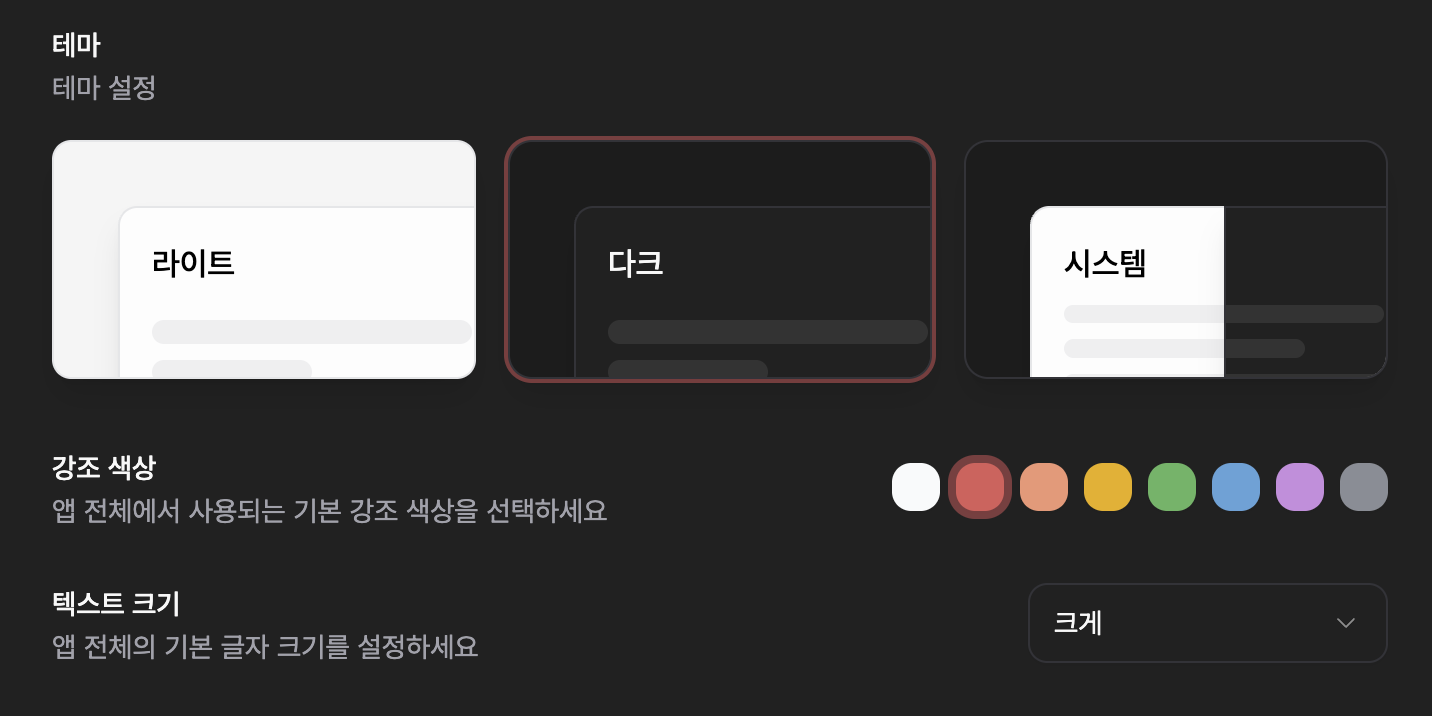
2. Expanded Appearance, Fonts, and Font Size Settings

(Accent Color & Font Size)

Appearance Settings

Appearance Settings

You can now adjust the editor’s accent color, font, and font size in more detail.
This lets you build a reading-friendly environment that matches your working style or genre, and you can always revert back to the defaults when needed.

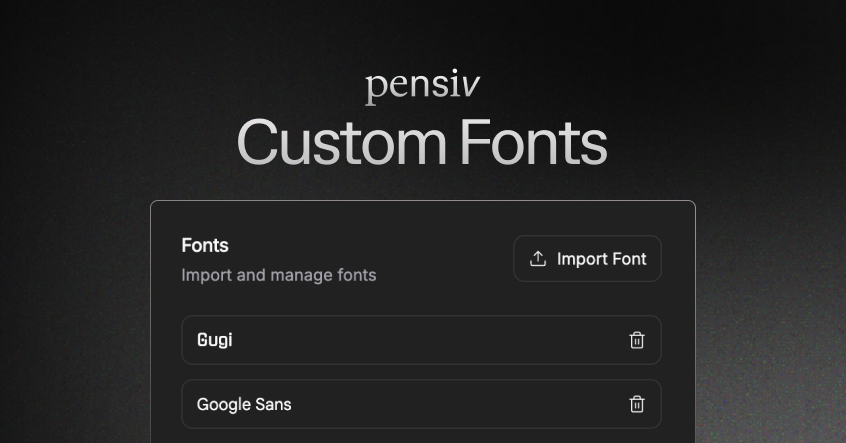
  • New fonts added such as Batang, Pretendard, KoPubWorldBatang, Gulim, and more
  • Text size and accent color previewed in real time
  • Reset button to restore all appearance settings at once

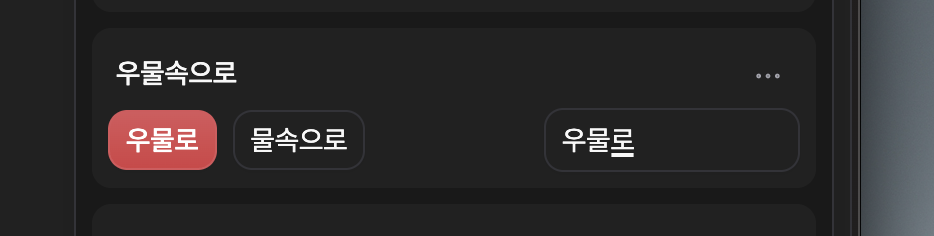
3. Manual Spell Check

Manual Spell Check

Manual Spell Check

Rather than relying only on automatic suggestions, you can now enter your own correction text and apply it immediately.
This keeps the writer in control of the final decisions, including proper nouns, worldbuilding terms, and intentional expressions.

  • Combine suggestions with manual input
  • Apply corrections directly to the document instantly
  • Achieve accurate corrections without repetitive edits

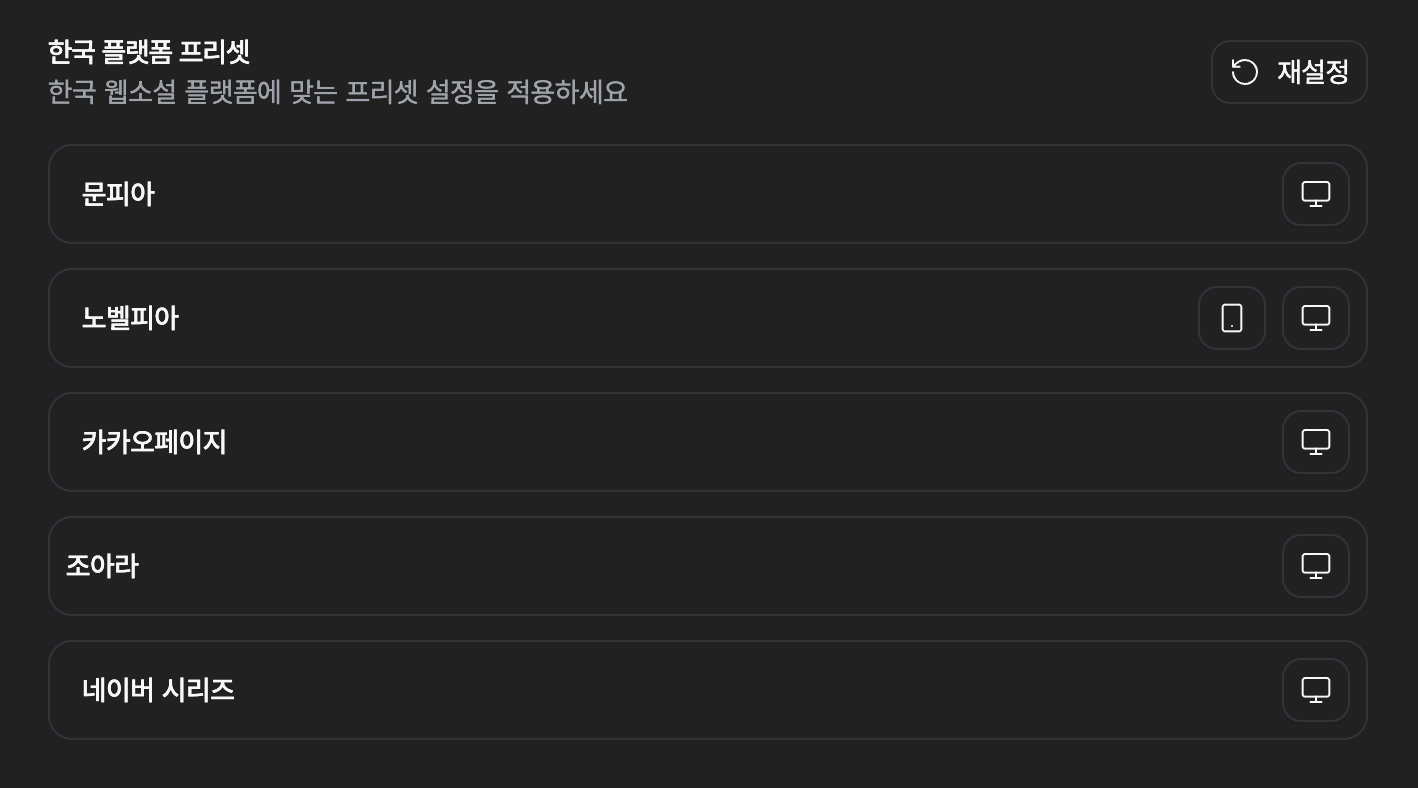
4. Platform Presets

Platform Presets

Platform Presets

We now provide typography and layout presets tailored to major Korean web novel platforms.
You no longer need to tweak every setting for each platform’s requirements—just apply the preset.

  • Munpia
  • Novelpia
  • KakaoPage
  • Joara
  • Naver Series

You can change or reset presets at any time,
so the write → revise → publish flow becomes much simpler.


  • Improved the floating text toolbar that appears when selecting text, making it easier to access character tools.
  • Added keyboard shortcuts and command system integration for inserting images.
  • Stabilized IME (CJK) input handling and keyboard navigation.
  • Simplified export steps and refined the export dialog UX.
  • Cleaned up editor interactions (drag-to-delete, auto-resizing, etc.).

  • When using the appearance reset feature, your personal settings will return to their default values.
  • Applying new fonts or presets may change how the document appears, so we recommend checking a preview before publishing.

December 14, 2025

v1.0.2 - desktop
Daily Goals

Daily Goals

This update introduces a new daily goal feature and refines the editing environment to better record activity time while writing. Goal settings and progress are visible at a glance, and celebration animations when goals are achieved work more naturally. We've also organized some layouts and settings screens to make the user flow smoother.

  • You can set daily goals directly in settings and check your progress. The default unit is character count, allowing for detailed goal management.
  • Added an always-visible goal widget on the screen to instantly check current progress and move it to your desired location.
  • Automatically tracks 'active editing time' during editing to better reflect actual work time.

  • Goal achievement celebration animations now work properly on initial load and have been organized to occur only once per day.
  • Organized spacing and layout of project settings screen and sidebar to make distinctions between setting items clearer.
  • Adjusted UI height and responsiveness of timers/popovers to improve usability on smaller screens.
  • Improved breadcrumb and folder path display to work more reliably.
  • Localized daily goal-related text including Korean and English translations.
  • Added small visual elements (e.g., snowflake animations) throughout the layout to make the screen more friendly.

  • Editing activity measurement and session-based analysis features are in a trial phase. Results may vary, and you can configure whether to enable tracking as needed.

December 12, 2025

v1.0.2 - desktop
Simple Timer and Usability Improvements

Simple Timer and Usability Improvements

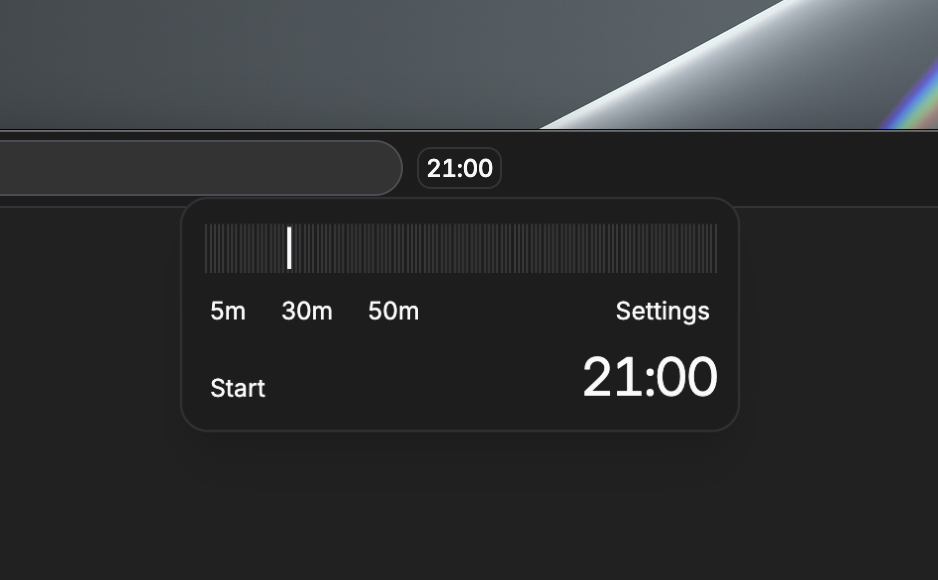
After a few days off, we're starting with a small update. The centerpiece of this release is the timer at the top of the screen, which allows you to quickly start and pause, and use it according to your personal settings. Additionally, when you open the app, it returns to the last location you were viewing, and we've refined the plot card editing experience to be more intuitive.

  • Timer added: You can start/pause directly from the screen and select presets to use.
  • Timer personalization: Set frequently used time presets and default timer settings that will automatically apply on next use.
  • Notification sounds added: You can choose from multiple notification sounds to immediately recognize when a timer completes.

  • Timer visualization improved: The minute hand's state changes are displayed more intuitively, allowing you to check progress at a glance.
  • Settings synchronization: Timer-related settings are maintained according to your user environment, reducing the need to reapply settings.
  • Last visited path restoration: When you open the app, it immediately moves to the screen you were previously viewing, allowing you to continue your workflow.
  • Plot card editing UX improved: Removed popover cards and simplified the editing flow, making modifications smoother.
  • Overall interaction refinement: Improved graph and sidebar selection experience to provide more stable and predictable responses.

  • When you open the app, it moves to the last screen you opened, so your return location changes immediately.
  • The plot card editing method has changed, so it may take some time to get used to if you were familiar with editing in a popover format like before.

December 6, 2025

v1.0.2 - desktop
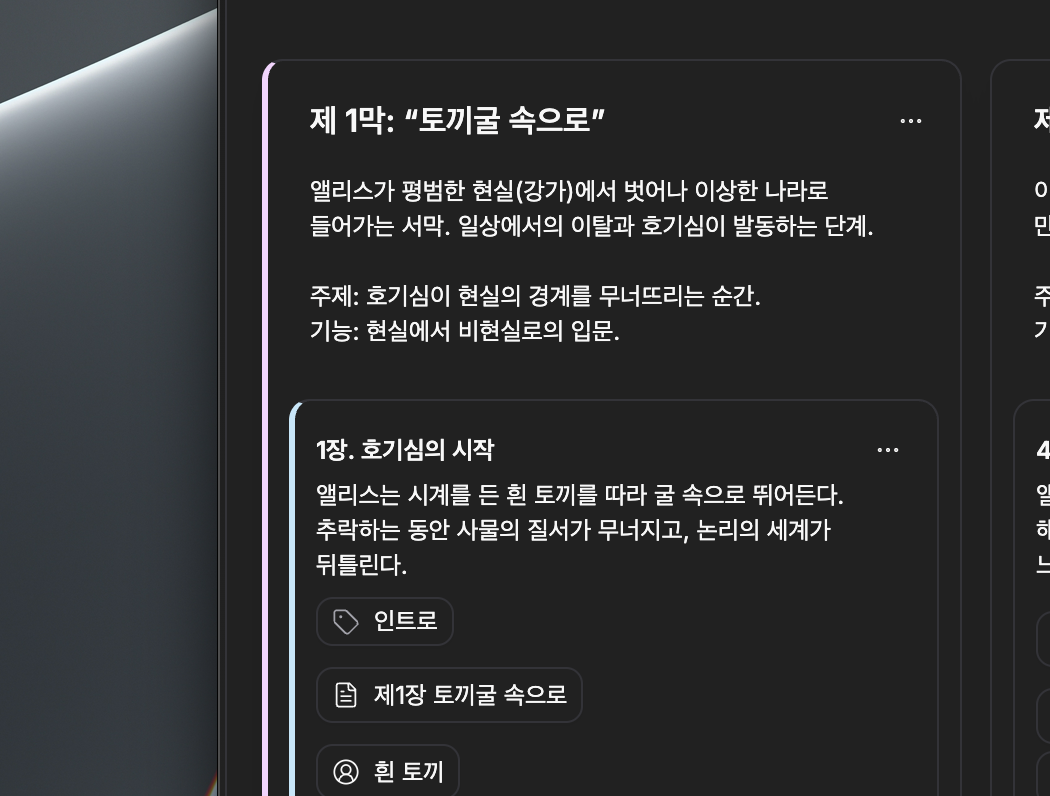
Plot Card Color

Plot Card Color

This update introduces color and tag features to make plot management more intuitive and visually distinguishable, while refining the overall sync experience to improve stability and progress visibility. We've also applied various visual improvements to enhance the explorability and readability of the relationship graph.

  • Color selection has been added to plot cards and part cards, allowing you to visually distinguish and personalize cards.
  • Tags can be added to plot cards for categorization and search, making it easier to quickly find and organize related items.
  • Plot board creation now immediately reflects results for better responsiveness, and if issues occur, it restores to the original state for stable handling.
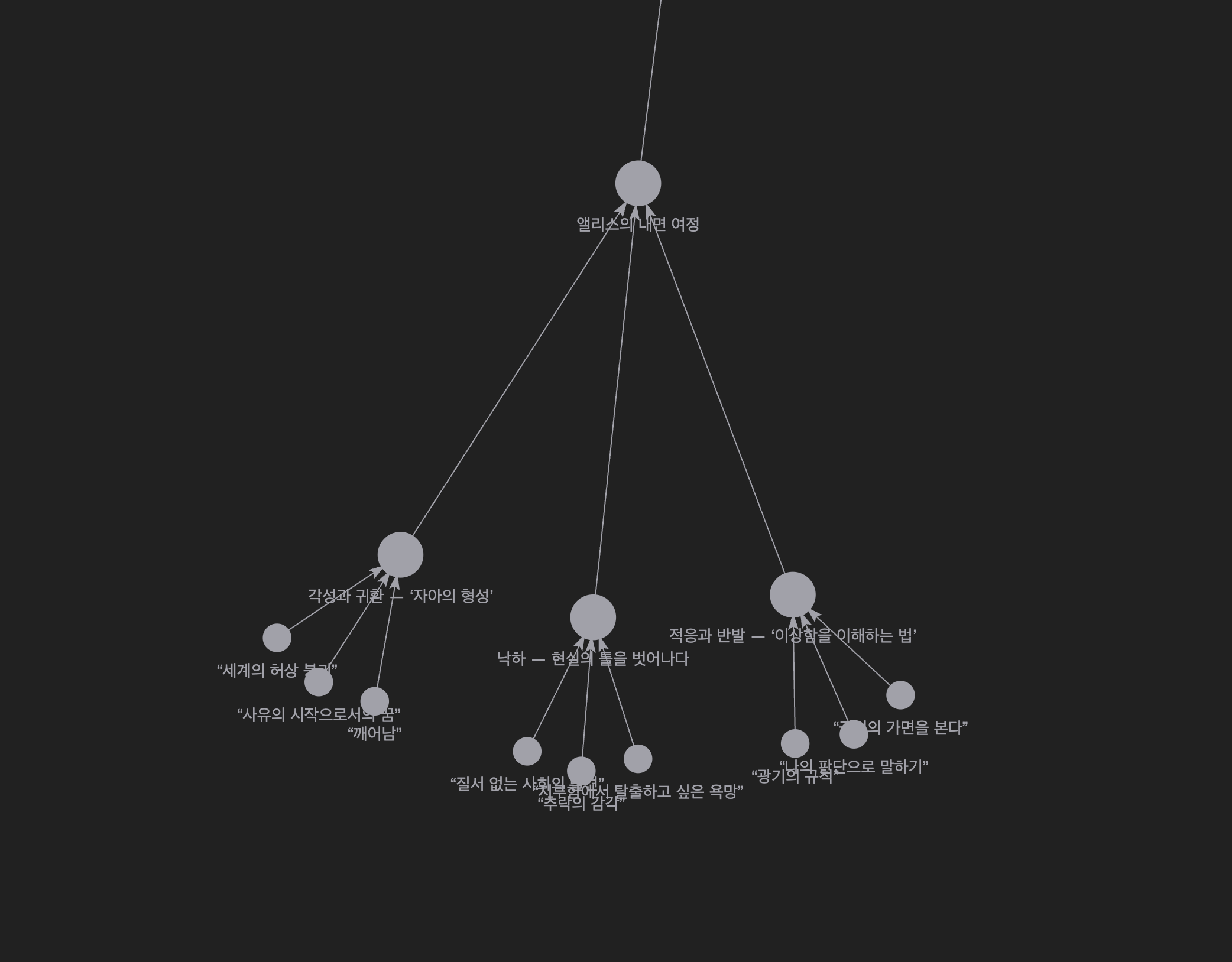
  • Mouse wheel zoom in/out functionality has been added to the relationship graph, making it more convenient to explore complex connections.

  • Tag editing and display have been refined to work more naturally, reducing unnecessary error notifications when adding/removing tags.
  • Tags can now be utilized in search and filters, making related item exploration more accurate.
  • Graph node label visibility and opacity transitions have been smoothly adjusted, so labels no longer flicker suddenly when zooming in/out.
  • Edge (relationship line) styles and interactions have been improved, with tooltip and toolbar positions displaying more consistently when hovering/selecting.
  • Sync status display and progress information have been clarified, making it easier to check background sync situations.
  • Plot part description text now handles line breaks better, improving readability and editing convenience.

  • Newly introduced colors and tags are not automatically applied to existing boards or cards. Please set them manually if needed.

December 5, 2025

1.0.2 - desktop
Task Management Feature Added

Task Management Feature Added

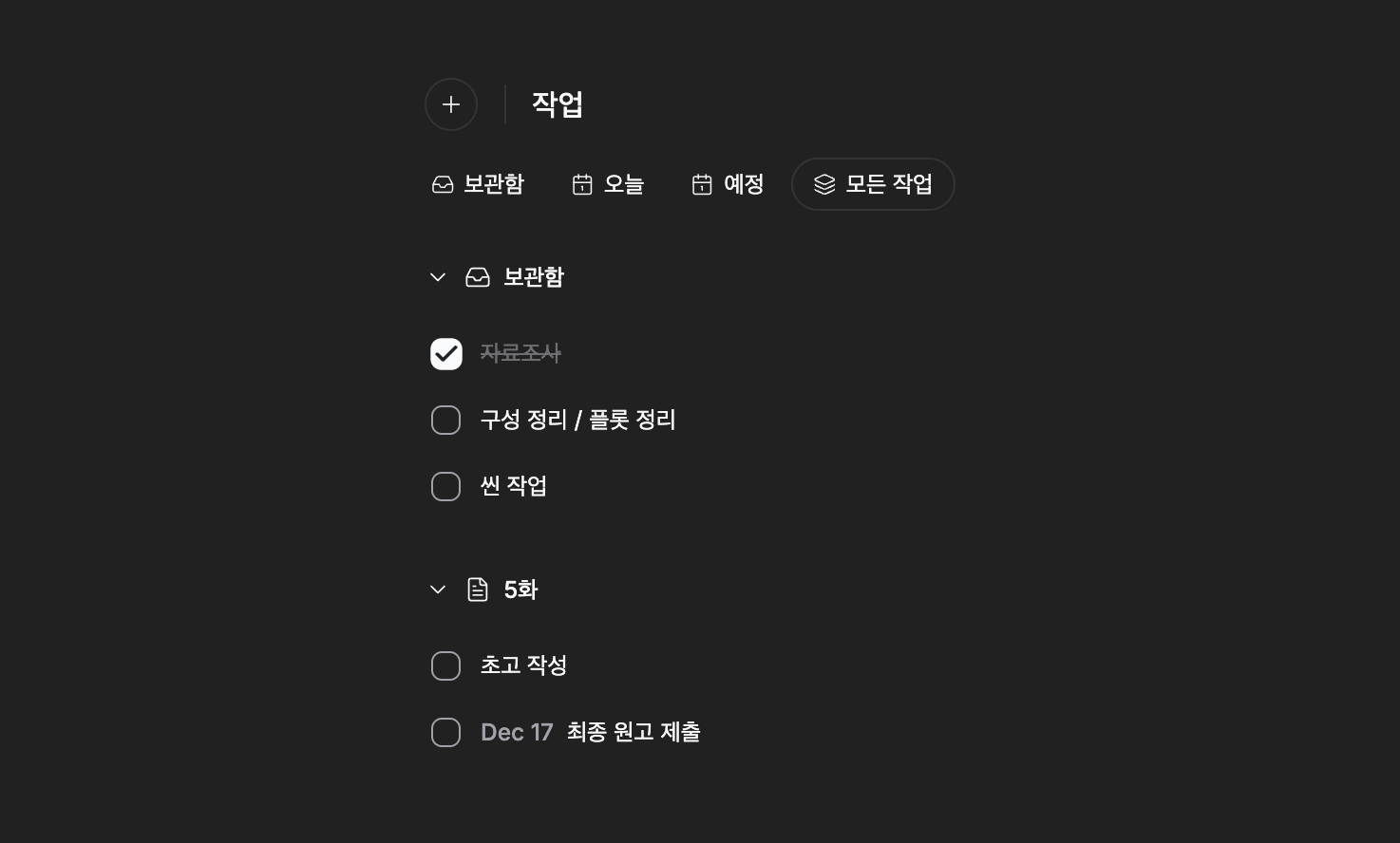
We've introduced a task management workflow that allows you to create individual tasks within projects, organize them in lists, and open them in detail pages for review. You can reorder tasks by dragging, and adjust priorities faster with filters and batch operations.

The task creation and editing process has been improved to be more intuitive and responsive, and Korean text and date input/display have been refined to be more natural.

  • Added basic workflow for creating tasks, viewing lists, and navigating directly to detail pages ("Open Task").
  • Tasks in lists can be reordered via drag and drop.
  • Improved date handling integrated with calendar/date input for more accurate scheduling.
  • Updated Korean text and localized search/result messages.

  • Tasks are immediately displayed in the list upon creation, allowing you to move on to the next task without waiting.
  • Task lists automatically sync when opening projects to maintain the latest state.
  • Tasks are preserved during delete/restore processes, reducing concerns about unintended data loss.
  • Enhanced filter options and search results make it faster to find desired tasks.
  • Improved visual feedback for task items (fade-out, strikethrough, dividers, etc.) and layout consistency.
  • Refined input flow and submit behavior in the task creation dialog for smoother interaction.
  • Improved drag collision detection and visual representation of drag overlays to increase manipulation reliability.
  • Task-related user preferences are persisted, maintaining a personalized task viewing experience.

  • After the update, task-related UI behavior and filter settings may differ slightly, so we recommend checking them once in the projects you're using.

December 1, 2025

1.0.2 - desktop

Header Customization

Header Customization

Header Customization

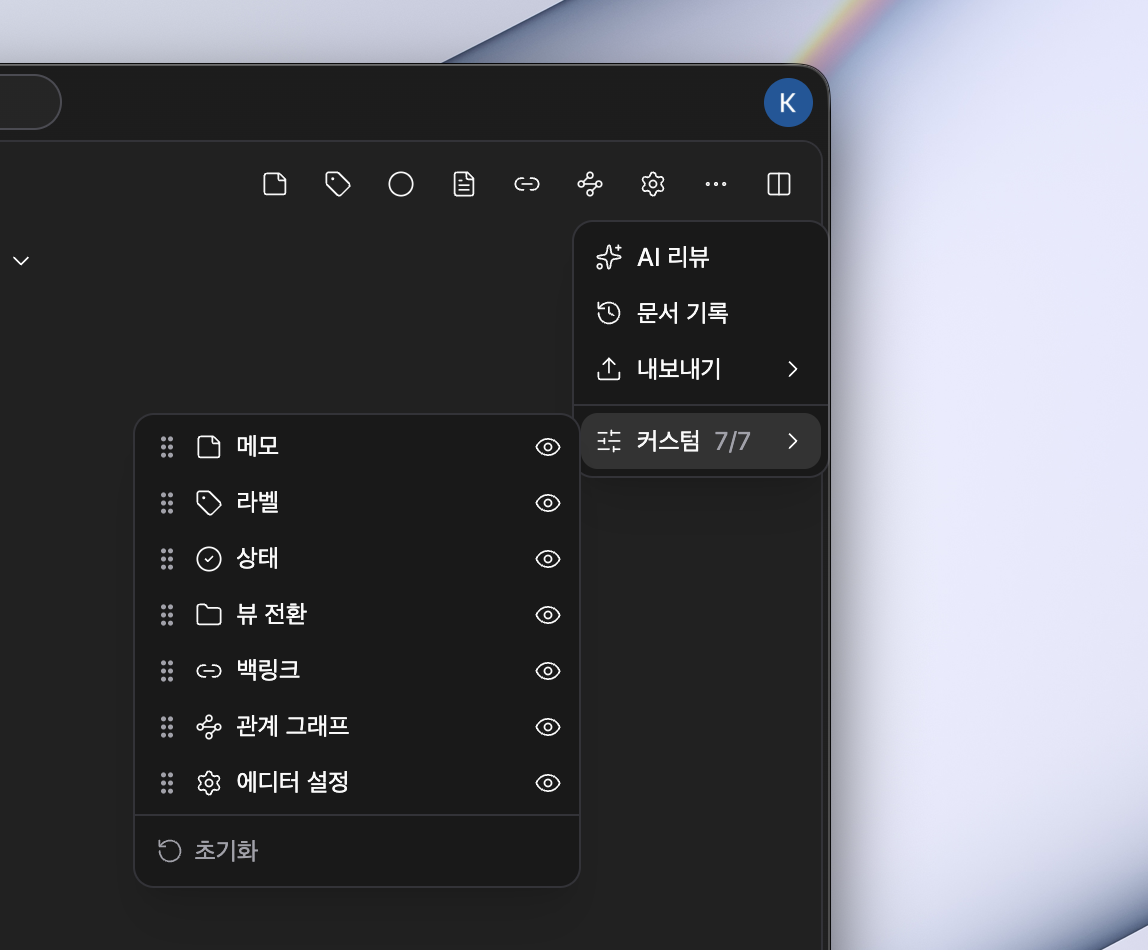
This update focuses on changes to personalize the user interface and make canvas work faster and more convenient. You can organize headers and toolbars directly to place frequently used tools right in front of you, and on the canvas, copy and paste along with the right toolbar make the workflow more natural.

Typography Customization

Typography Customization

Typography Customization

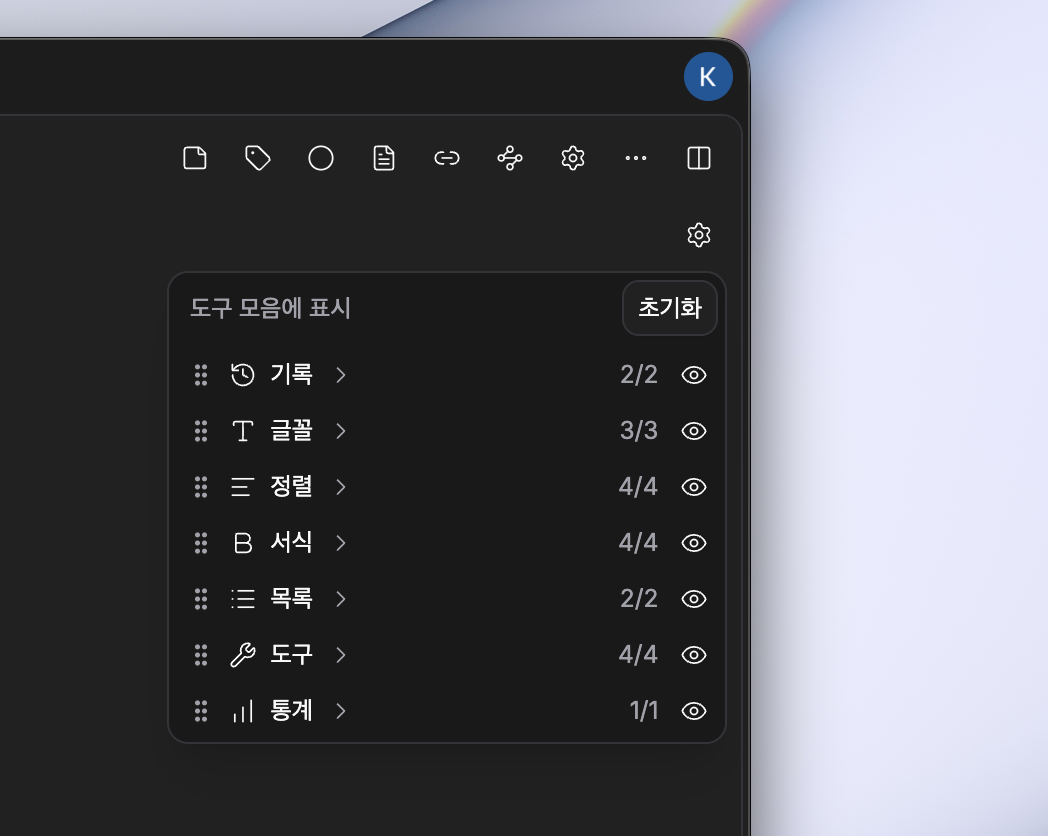
We've also added the ability to customize typography. You can show only the features you need and hide unnecessary ones.

  • Header customization: For each file type (document, character, plotboard, folder, canvas, etc.), you can rearrange header items via drag and drop and choose whether to show or hide them.
  • Toolbar customization: You can directly edit toolbar items and rearrange groups to prioritize frequently used tools.
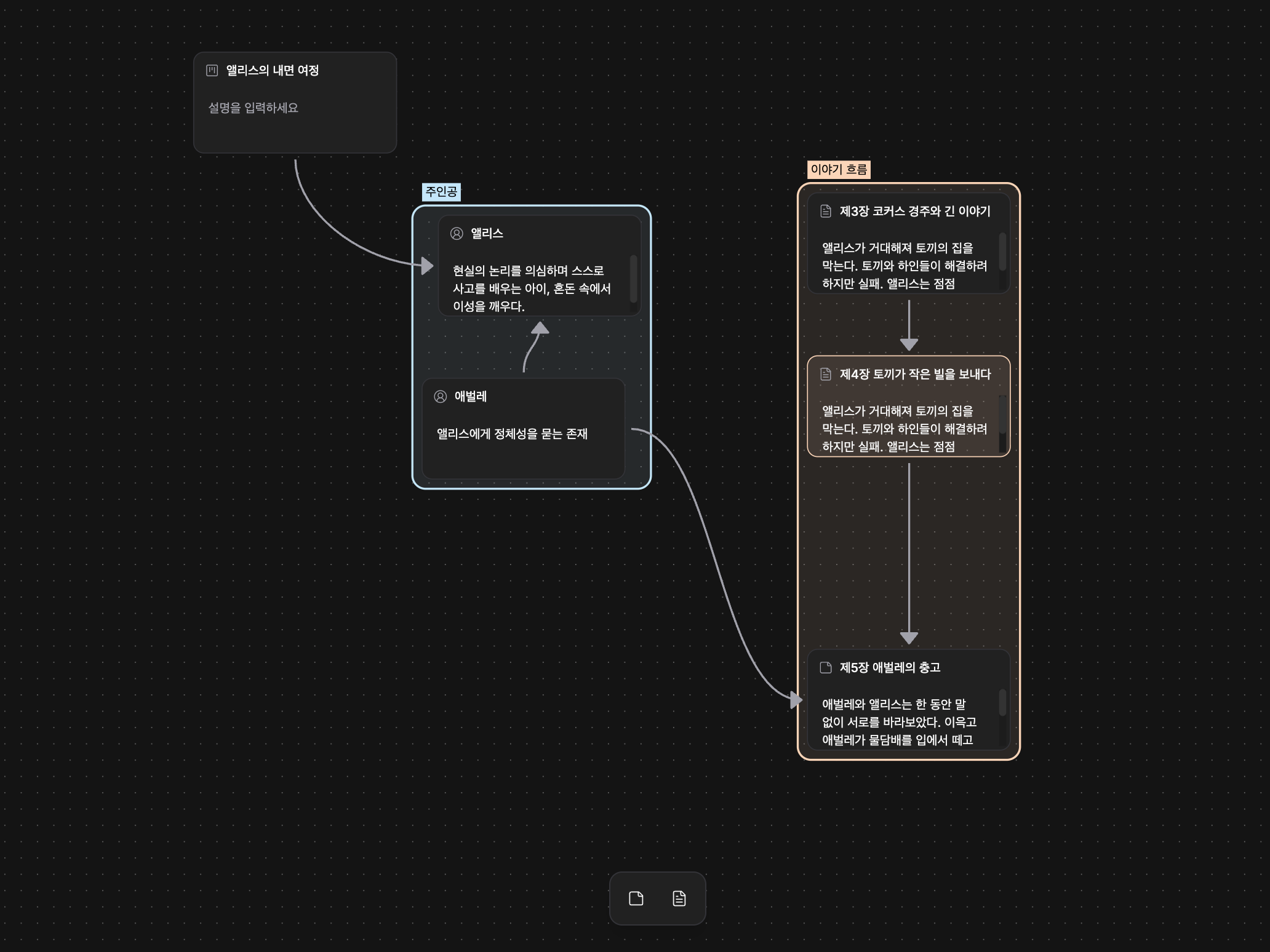
  • Enhanced canvas functionality: Added a right toolbar for quick access to frequently used actions like zoom, undo/redo, and supports copying (Cmd/Ctrl+C) and pasting (Cmd/Ctrl+V) selected items on the canvas.

  • Relationship graph node placement now appears more balanced. Complex connections are also better organized and easier to view.
  • Dropdown and tooltip behavior has been improved, reducing visual confusion related to menu open states.
  • Icon organization: Added and integrated key icons like undo/redo, improving interface consistency.
  • Menu handling and accessibility for project items and tree representation have been improved, making menus display more reliably.
  • Localization expansion: English and Korean strings have been enhanced, making new feature guidance and settings clearer.

  • Copy and paste shortcuts only work in the active panel. If you're using another panel, the intended action may not execute.
  • Some header items and controls have been moved to the right toolbar for layout improvements, so please check and adjust their positions through personal settings.

November 30, 2025

1.0.2 - desktop
Canvas

Canvas

In this update, we focused on improving the workspace with a flexible canvas and stronger backup security. You can create a canvas just like any other file and use it directly within your projects. It naturally supports everyday workflows like grouping, duplicating, and undoing actions. Backups can now be stored in encrypted form, so you can keep your data safe with more peace of mind.

  • Canvas (visual workspace): Inspired by Obsidian’s canvas, we now provide a canvas where you can place nodes, group them, and create duplicates. You can create a new canvas as easily as creating a new file inside a project.
  • Group/ungroup buttons: You can create and release groups from the selection toolbar, making it easier to manage complex structures.
  • Duplication: When duplicating a canvas, hierarchical cascading duplication is supported, making it convenient to create templates and manage different branches of your work.
  • Encrypted backups: You can encrypt backups when saving them, and import/export encrypted backups. (You’ll need the password when restoring.)

  • Editing flow stability: Undo/redo has been added so you can easily revert mistakes. Changes in selection state alone are no longer recorded, keeping your history cleaner.
  • Focus improvements: In split-view mode, the active panel now keeps focus more consistently, so drag and click operations stay in the area you intended.
  • Node labels and color handling: Restores group labels more reliably, improves handling of empty inputs, and refines background color behavior for better visual consistency.
  • File relationship cleanup: When a file is deleted, related nodes on the canvas are automatically cleaned up so your data doesn’t become fragmented.
  • File edit synchronization: Edits to file titles and descriptions are now better synchronized with the actual file data, reducing confusion.
  • Interface & usability tweaks: Localized search placeholder text, adjusted sidebar spacing, smoothed the height animation of file picker dialogs, and refined back/forward navigation shortcuts for better everyday usability.
  • Changelog display behavior: Changelogs are now shown only when the version changes, reducing unnecessary pop-ups.

  • Encrypted backups require the password (decryption key) when restoring. If you lose the key, restoration may be impossible, so please store it safely.
  • The backup format has been updated, so older backups may require conversion or special steps to restore. For important backups, please store a separate copy before updating.

November 27, 2025

1.0.1 - desktop
Local Mode

Local Mode

This update focuses on offline usability and data safety. With local-only mode, you can work confidently without server synchronization, and improved backup features and recovery flows have reduced concerns about data loss. Additionally, the app icon now changes based on your theme, and window titles are more intuitive, making it easier to switch between tasks.

  • Local-only mode: Added an option to store projects only on your device, allowing you to work without server synchronization.
  • Backup management: Added UI to save, export, import, and delete project backups, making data storage and migration easier.
  • Manual sync trigger: After disabling local-only mode, you can immediately trigger synchronization when needed.
  • Theme-based app icon: The app icon automatically changes based on dark/light theme, improving visual consistency.

  • Document title improvements: Window titles now more accurately reflect the current project and file name, making it easier to distinguish between multiple windows.
  • Enhanced automatic backups: Backups work regardless of server synchronization status, and you can more clearly see when backups occur, making recovery easier.
  • Improved recovery stability: Enhanced restore behavior when items are not on the server, reducing the risk of data loss during trash recovery and project restoration.
  • Deletion management improvements: Added deletion-related metadata to increase recovery possibilities, and strengthened validation logic in the project deletion dialog to prevent accidental deletions.
  • Resource loading flexibility: Expanded loading methods for fonts and attached resources, making them display more reliably across various environments.

  • While local-only mode is enabled, changes will not be sent to the server. To synchronize with the server, disable the mode and then trigger manual synchronization.
  • We recommend regularly exporting important changes as backup files and storing them externally.

November 24, 2025

1.0.0 - desktop

This update focuses on making the experience of leaving thoughts, viewing documents, and understanding the process of change even clearer. You can capture ideas that come up during work, read project structure more naturally, and intuitively check previous records.


📝 File Notes

File Notes

File Notes

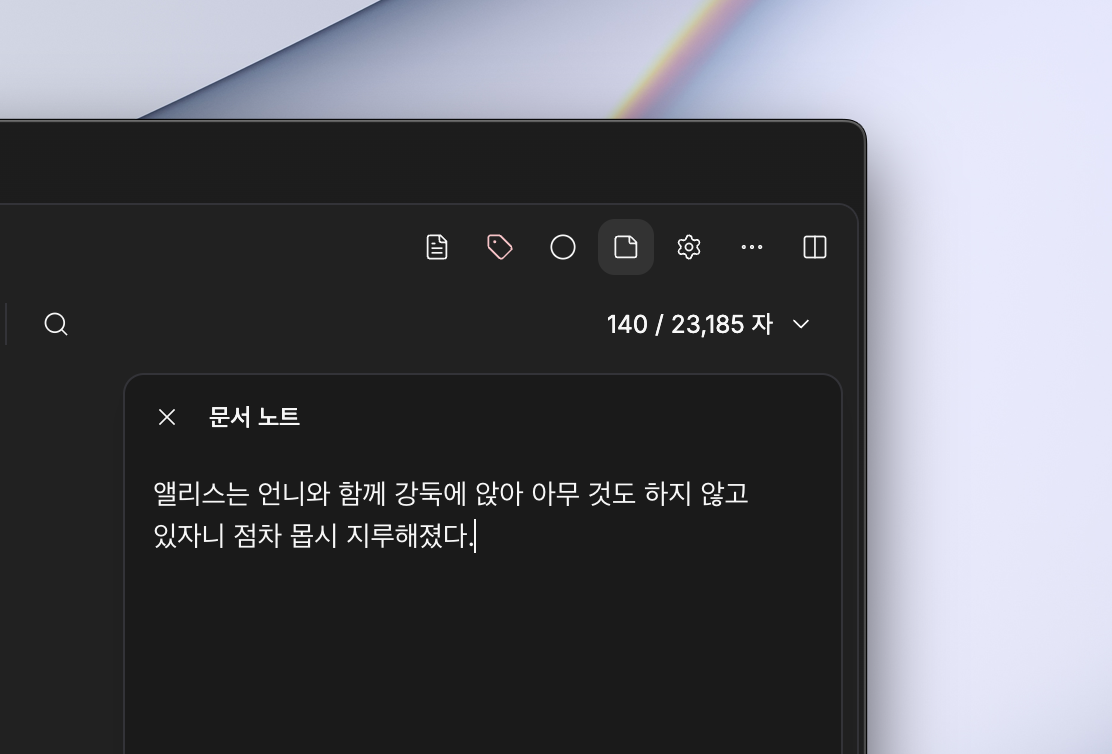
You can now leave individual notes for each file, allowing you to store thoughts beyond the document itself. Keep ideas, revision directions, and reference materials in context.

  • Manage notes on a per-file basis
  • Space optimized for quick recording
  • Never lose track of work context

📁 Folder View Mode Improvements

Folder View

Folder View

The existing folder view has been expanded to include Plotboard, Docs, and Character files. You can now directly manage more sub-elements within a single flow.

  • Organize and manage structure like folders
  • Connect Plotboard and Character files
  • Understand work structure at a glance

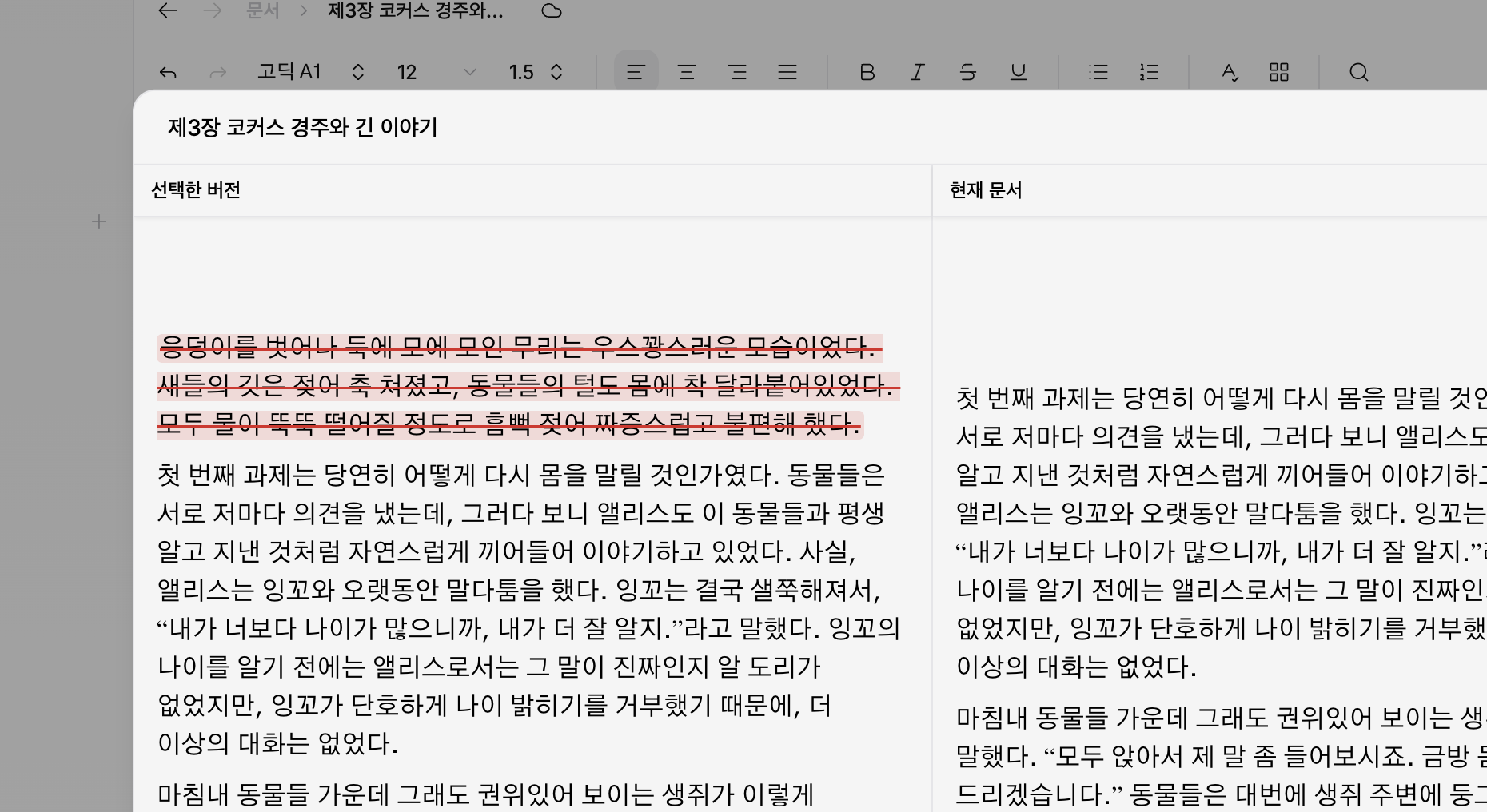
🕓 Document History Comparison

History Comparison

History Comparison

A view has been added that allows you to compare past versions with the current document at a glance. You can more easily understand what and how things have changed.

  • Quickly check what has changed
  • Easy to revert to previous state
  • Workflow becomes clearer

  • Default font size and line spacing can be saved as personal settings
  • Overall layout balance and visual stability have been improved
  • Window transitions and notification behavior have become smoother

  • Some view settings may be reset after the update
  • When using the history feature for the first time, synchronization time may be required

November 18, 2025

1.0.0 - desktop
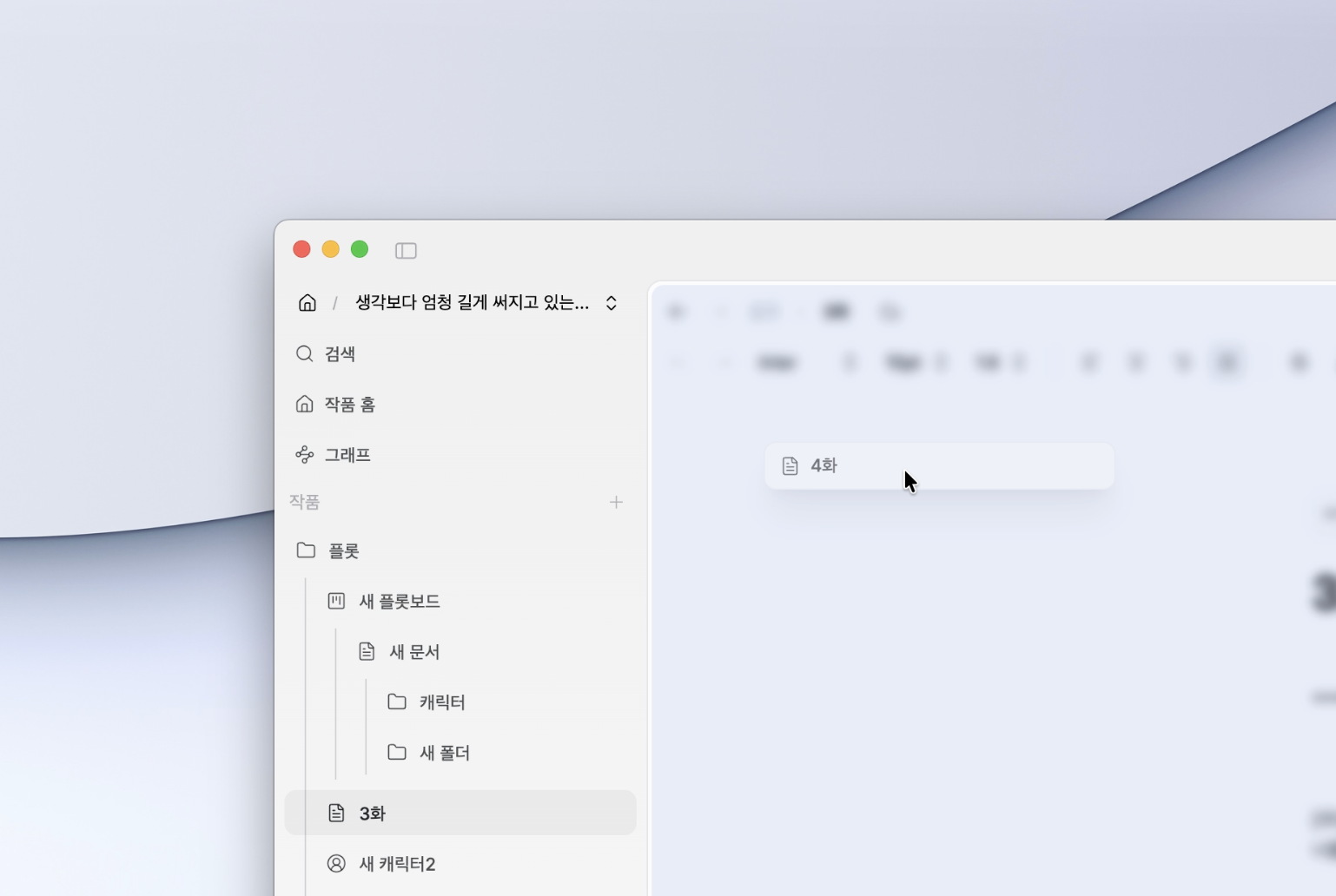
Split Preview Drag

Split Preview Drag

This update significantly enhances the usability of the project sidebar and
refines the overall UI behavior centered around the new Split Preview Drag feature.


  • Split Preview Drag (Split Preview Overlay) Added
    • Introduced a draggable overlay that allows intuitive splitting of both areas when selecting documents
    • Useful for quickly comparing documents while exploring the project structure

  • Enhanced Offline Work and Sync Stability

    • Improved exception handling during offline work
    • Enhanced recovery logic when synchronization fails
  • Project Sidebar Functionality Enhancements

    • Improved multi-selection responsiveness
    • Keyboard shortcuts refactoring
    • Added collapse/expand root items shortcut
    • New shortcuts for project management and localization updates
    • Interface simplification by removing some commands
  • UI and Style Improvements

    • Border color adjustments
    • Overall style cleanup and Command Palette UI updates
    • Changelog API and UI style/localization improvements

  • Unified 'pensiv' notation across documents/settings/logs
  • Overall sidebar UI refactoring and performance improvements

November 16, 2025

1.0.0 - desktop

Official Release v1.0.0 🚀

Pensiv has finally launched as official version v1.0.0!
This release is a comprehensive update that reorganizes the entire product around three core changes.

Based on feedback collected during the beta phase, we've comprehensively enhanced stability, data processing, and document editing experience. The overall workflow, from project loading to saving and switching, has become much smoother.

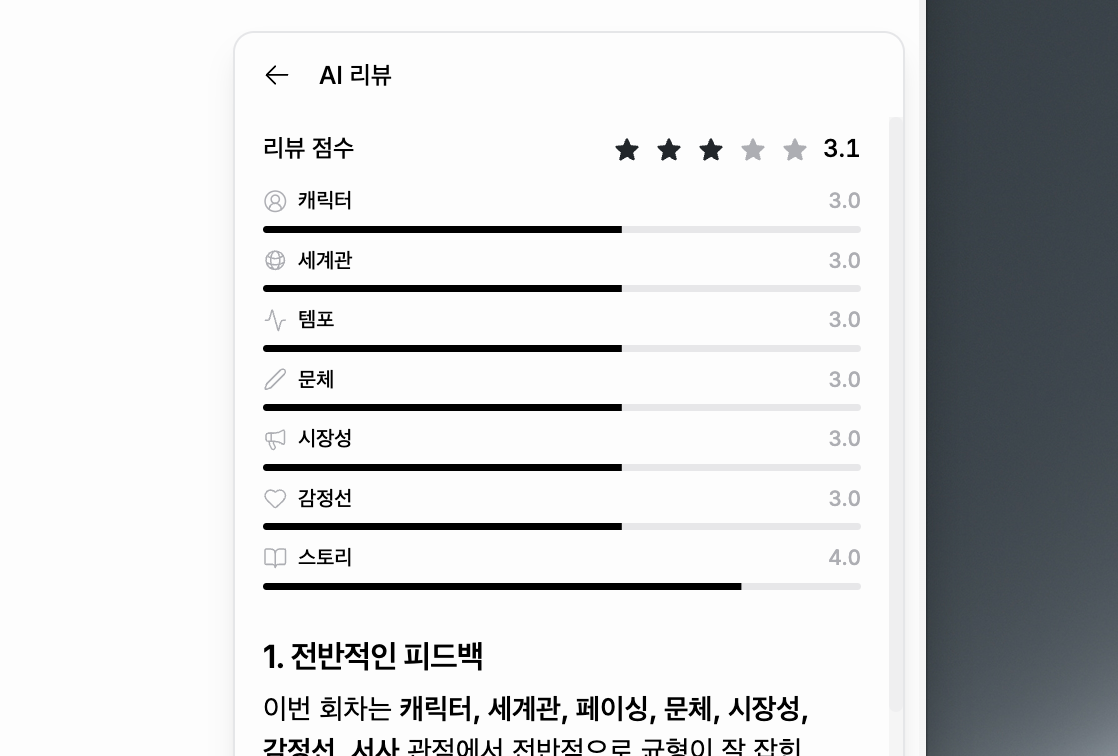
1. AI Review Feature Introduction

AI Review

AI Review

The AI Review feature, which analyzes your work and provides feedback from structural and literary perspectives,
has been newly included.
With real-time streaming reviews, review history, and citation-based analysis,
a professional review environment is now available in the official version.


2. Special Characters & Zoom Features + UI Overhaul

Special Characters

Special Characters

The following features have been added to improve the document writing workflow:

  • Special Characters (Character Map) insertion feature
  • Full editor zoom in/out functionality
  • Complete restructuring of Home/Project/Editor UI

The entire interface is now more clearly and consistently organized.


  • Improved sidebar drag and drop responsiveness
  • Added soft update notification toast
  • Improved Undo/Redo (Ctrl+Z) stability
  • Performance improvements for AI Review and SpellCheck side panels
  • Stabilized focus mode event handling and selection
  • Enhanced PWA update flow
  • Re-adjusted styles for major components
  • Expanded multilingual (Korean/English) localization

November 12, 2025

0.3.2 - desktop
Offline Mode Beta

Offline Mode Beta

This update introduces Offline Mode functionality.

You can now continue working in Pensiv even without an internet connection. All changes are saved locally and automatically synchronized when the connection is restored.


  • Offline Mode Support: All features available without internet connection
  • Local Auto-save: All changes are immediately saved to local storage
  • Automatic Sync: Automatically synchronizes with server when internet connection is restored
  • Offline Work Tracking: Tracks items modified offline for synchronization upon reconnection
  • LWW (Last Write Wins) Conflict Resolution: Automatic conflict resolution based on timestamps
  • Offline Mode Entry Warning: Beta feature and important notices on first use
  • Pending Sync Display: Real-time display of number of items modified offline

  • Optimistic Updates: Immediate UI response even in offline state
  • Local Database Utilization: Stable local storage through IndexedDB
  • Automatic Reconnection Detection: Automatically starts synchronization when network is restored
  • Sync Status Display: Clear indication of current synchronization status
  • Offline Work Protection: Ensures work done offline is not lost

  • Beta Feature: Offline mode is currently in beta
  • LWW Logic: The most recent changes take priority when reconnecting
  • Multi-device Caution: When editing offline on multiple devices simultaneously, only the last saved version is maintained
  • Concurrent Editing Recommendation: To prevent data loss, we recommend avoiding simultaneous offline editing on multiple devices

November 5, 2025

0.3.2 - desktop

This update introduces the Import Feature. You can now seamlessly bring in manuscripts or documents you've already written into Pensiv. Your work should be able to continue from anywhere.

Pensiv is a place where new stories begin, but it should also be a place where you can bring in the worlds you've already been writing. This import feature is the first step toward that connection.

  • File import feature added
  • You can import the following file formats into Pensiv:
    • HWP
    • DOCX
    • EPUB
    • TXT
    • Markdown (.md)
  • Converts while preserving document structure, line breaks, paragraph spacing, etc. as much as possible

  • Progress status and guidance messages during import process
  • Clear feedback on errors that may occur during file processing
  • UX improvements to immediately view and edit converted documents in the editor

November 4, 2025

0.3.2 - desktop

  • Shortcut settings feature added
  • Global keyboard shortcuts implementation (settings and application control)
  • macOS shared menu feature added

  • Updated keyboard shortcuts for search functionality
  • Enhanced keyboard shortcut management system
  • Improved UI tooltips
  • Updated shortcut key for settings dialog in command palette
  • Refactored keyboard shortcut handling logic
  • Code cleanup and improved readability

November 3, 2025

0.3.1 - desktop

The core of this update is the Spell Checker.

Currently a Korean-only beta feature that automatically detects spelling errors in text and provides correction suggestions.

  • Spell Checker (Korean-only beta)
  • 'My Dictionary' feature added

  • Improved plot card drag UX
  • Updated plot board UI
  • Improved scroll state persistence across views
  • Partial home screen design updates

October 29, 2025

0.3.1 - desktop

  • Windows environment UI improvements
  • Onboarding design updates
  • Bullet point fixes
  • Font logic improvements

  • Enhanced Content Security Policy (CSP)
  • Stabilized hide and exit flows
  • Other stabilization work and bug fixes

October 28, 2025

0.3.0 - desktop

  • Project interaction tour added
  • Profile card download added

  • Separated client window hide & close actions
  • Updated client content security policy

October 27, 2025

0.3.0 - desktop

  • Personal profile card added

  • Onboarding flow UI changes
  • Work creation UI changes

October 26, 2025

0.3.0 - desktop

  • Fixed tag input field deletion bug

  • Updated folder view child file UI
  • Changed shortcuts for global search (Ctrl+Shift+F) and document search (Ctrl+F)
  • Added relationship graph option settings and excluded folder relationships
  • Improved plot card drag UX
  • Improved plot part card edit UX

October 24, 2025

0.3.0 - desktop

  • Fixed labelId conversion issue in document files
  • Fixed image disappearing on click issue
  • Fixed Korean export issue

  • Improved plot part card drag and relationship setting UX
  • Updated sidebar file list design
  • Fixed indentation logic